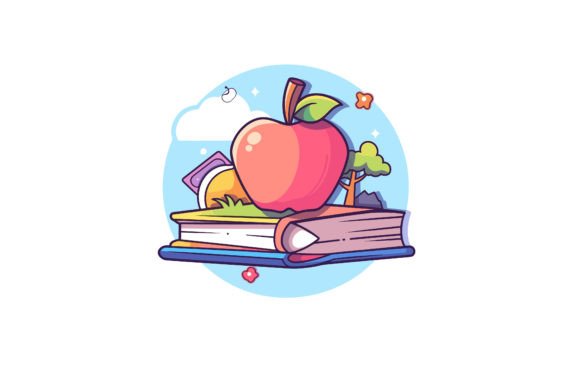
Colorful Books and Pencil Flat Vector: A Practical Design Asset for Real Projects
If you’ve ever spent 20 minutes searching for the right back-to-school icon—only to find either overdesigned clipart or lifeless monochrome vectors—you’ll appreciate what the Colorful Books and Pencil Flat Vector delivers: clean, joyful, and instantly usable. It’s not just another decorative element. It’s a thoughtfully crafted flat illustration built for flexibility—whether you’re designing a classroom newsletter, launching an online course, updating your tutoring website, or branding a small educational business.
What You’re Actually Getting (and Why It Matters)
This isn’t a single static image—it’s a dual-format resource designed for real-world adaptability. You receive one high-resolution JPEG (4000×2584 px) for quick use in presentations, social posts, or printed handouts—and one EPS vector file that scales infinitely without pixelation. That EPS file contains 100 individual vector shapes, meaning every book spine, pencil tip, and color block is editable on its own. Change the teal to mustard yellow? Done. Swap out the open textbook for a notebook icon? Easy. Rotate the pencil 15 degrees to match your layout rhythm? No layer-locking headaches required.
The files come zipped—not as a hurdle, but as a practical safeguard. Just double-click (on Mac or Windows) or use WinRAR/WinZIP to extract. No hidden folders, no password protection, no trial watermarks. What you see in the preview is exactly what you get—ready to drop into Illustrator, Figma, Canva (via upload), or even PowerPoint with crisp fidelity.
Where This Vector Fits Into Everyday Work
Educators building digital resources: Imagine creating a “Summer Reading Challenge” PDF for your third-grade class. Instead of pasting low-res PNGs that blur when zoomed, you insert the Colorful Books and Pencil Flat Vector, adjust the colors to match your school’s palette, and export a print-ready flyer at full size—no quality loss. Or use it as a subtle watermark behind student worksheets, scaled down to 10% opacity.
Freelancers designing for clients: A client asks for a warm, approachable logo variation for their new literacy coaching service. You start with the pencil and stack of books from this vector, simplify two shapes into a custom monogram, and deliver a scalable brand mark—all in under an hour. Because the shapes are already grouped logically and named intuitively (e.g., “book_spine_blue”, “pencil_eraser”), you’re not reverse-engineering someone else’s messy layers.
Bloggers and content creators: Writing a post titled “5 Low-Cost Ways to Refresh Your Homeschool Space”? Use the vector as a featured image—then crop just the pencil and one upright book for an Instagram Story highlight icon. The bright, friendly palette reads well on mobile screens, and the flat style avoids visual competition with your text overlays.
Small business owners launching products: If you sell printable planners or teacher-themed stickers, this vector gives you production-ready assets for packaging mockups, Etsy banners, or email headers. No need to commission custom art for every seasonal campaign—just recolor, resize, and repurpose.
Who Benefits Most—and How Their Needs Shape Usage
- Teachers and homeschoolers use it to add consistent, cheerful visuals to Google Slides lessons, weekly newsletters, or classroom job charts—without worrying about copyright or licensing limits.
- Marketing coordinators at edtech startups rely on it for A/B testing landing page banners: same message, two versions—one with minimalist line art, one with this vibrant, tangible-feeling vector—to see which resonates more with parent audiences.
- Self-published authors building activity books or early-reader workbooks insert the vector as section dividers or answer-key icons—knowing it will stay sharp whether printed in bulk or viewed on a tablet.
- Hobbyists making greeting cards or bullet journal spreads appreciate that they can print it on sticker paper, cut it out by hand, or trace it onto washi tape—because the outlines are smooth, intentional, and free of unintended anchor points.
Things to Consider Before You Use It
While versatile, it’s not a universal substitute. If your project requires photorealistic texture (like paper grain or pencil lead smudging), this flat vector won’t simulate that—and isn’t meant to. Likewise, if you need animated versions (e.g., a pencil writing across a book), you’d need to build motion separately—the source files are static, not After Effects-compatible.
Also worth noting: the color palette is intentionally broad and saturated—not muted or pastel—so it stands out in busy layouts. That’s great for calls-to-action or kid-facing materials, but may feel too energetic for corporate training decks. In those cases, a quick desaturation + contrast tweak in Photoshop or Illustrator solves it cleanly—thanks to the vector’s clean separation of elements.
And while the ZIP contains only JPEG and EPS formats, most modern design tools handle both seamlessly. Canva users can upload the JPEG for immediate use; Adobe Suite users get full editability from the EPS. No plugins, no converters, no extra steps.
Real Value Isn’t in the Files—It’s in the Time and Confidence They Free Up
Think about the last time you stalled on a project because you couldn’t find *just the right* book-and-pencil motif—then settled for something generic, re-drew it poorly in MS Paint, or paid $30 for a limited-use stock image. With the Colorful Books and Pencil Flat Vector, that friction disappears. You’re not buying pixels—you’re buying reliability, consistency, and creative headroom.
That means faster client revisions (“Can we make the top book red instead of green?” → 15 seconds), smoother collaboration (“Here’s the vector—I’ve locked the background layers so you only edit the text”), and fewer “I’ll fix that later” compromises that pile up before launch.
It works quietly in the background of your workflow—supporting clarity in education materials, warmth in community announcements, professionalism in small-business branding, and playfulness in personal projects. Not as decoration. As infrastructure.