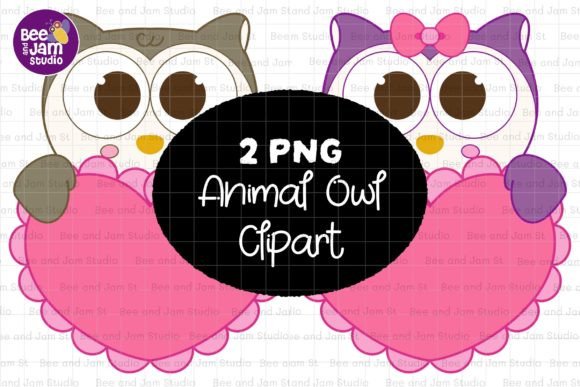
Animal Owl PNG Sublimation Clipart: A Versatile, High-Quality Asset for Creative Projects
Whether you're designing a cozy fall greeting card, crafting a whimsical baby shower invitation, or developing a themed busy book for early learners, Animal Owl PNG Sublimation Clipart offers remarkable flexibility—when used thoughtfully. This isn’t just another generic owl graphic. It’s a professionally crafted, high-resolution digital illustration designed specifically for real-world creative workflows: sublimation printing, digital planning, classroom resources, POD merchandise, and more.
Why Creators Reach for This Owl Clipart (and Why It Works So Well)
Unlike low-res or poorly isolated clipart, this set delivers two crisp 4000×4500 px PNG files—each with a true transparent background, 300 dpi resolution, and sRGB color profile. That means no jagged edges when scaling for large-format prints, no color shifts when uploading to Canva or Adobe Illustrator, and seamless integration into layered designs like greeting cards, planners, or school worksheets.
Its broad thematic range—Valentine’s charm, autumnal warmth, Christmas magic, fairy-tale wonder—is intentional. The owl’s gentle expression and clean linework make it adaptable: soften the palette for a baby shower, add gold foil accents for holiday cards, or pair with botanical elements for a nature-themed notebook cover. Educators use it in vocabulary builders (“owl,” “wise,” “nocturnal”); entrepreneurs apply it to eco-friendly product labels; crafters print it onto mugs, tote bags, or wall art—all without licensing friction.
A Common Mistake: Assuming All “Owl Clipart” Is Equal
Many designers grab the first free owl PNG they find—only to discover later that it’s 72 dpi, lacks transparency, or uses an outdated color space. That leads to blurry prints, mismatched hues on fabric transfers, or hours wasted removing backgrounds in Photoshop. Worse, some “sublimation-ready” files are actually RGB images converted carelessly from CMYK sources—causing unexpected dullness or banding on heat-pressed items.
Example: A small business owner ordered custom sublimated notebooks using a low-quality owl graphic. When printed, the owl appeared washed out and pixelated near the edges. They had to delay shipment, reorder, and eat the cost—because they skipped checking resolution, transparency, and color profile upfront.
What to Verify Before Downloading or Purchasing
- Resolution & Dimensions: Confirm it’s truly 300 dpi at usable print sizes—not just upscaled. This set gives you 13” x 15”, ideal for full-page layouts, planner stickers, or large coloring sheets.
- Transparency Integrity: Open the PNG in Preview or Windows Photos—zoom in tightly. If you see faint halos, gray fringing, or semi-opaque edges, the masking was poorly done. These files render cleanly against any background.
- Color Profile Consistency: Look for explicit mention of sRGB—not just “RGB.” sRGB ensures accurate on-screen previews and predictable results across most printers and sublimation systems.
- Editing Flexibility: Test it in your go-to tool (Canva, PowerPoint, Illustrator). Does it resize smoothly? Can you recolor paths without artifacts? These PNGs retain clarity even after multiple edits and exports.
Misunderstanding Use Cases—and How to Expand Them Thoughtfully
Some assume this is only for “cute” projects—but its clean lines and balanced proportions support serious applications too. A homeschool teacher used one owl as a consistent visual anchor across a science unit on nocturnal animals, embedding it into worksheets, flashcards, and a printable lapbook. A boutique stationer layered it subtly into a seamless pattern for luxury wedding envelope liners—proving elegance doesn’t require complexity.
Where people stumble is forcing fit: adding glitter effects to an owl meant for minimalist mandala coloring pages, or stretching it beyond 200% in a T-shirt mockup without checking anti-aliasing. Instead, lean into its strengths—clarity, scalability, and expressive neutrality.
Sublimation-Specific Considerations You Can’t Skip
For sublimation users: not all PNGs behave the same under heat and pressure. This set avoids common pitfalls—like embedded compression artifacts or alpha-channel inconsistencies—that cause ghosting or ink bleed. Because it’s built at native 300 dpi with flat, well-defined edges, it holds detail even on ceramic mugs or polyester pillowcases.
Pro tip: Always do a test print on scrap sublimation paper first. Check for edge sharpness and color fidelity—not just on screen, but on the final substrate. These files minimize surprises, but substrate quality and press calibration still matter.
Realistic Workflow Benefits for Busy Creators
You’re not buying pixels—you’re buying time and reliability. With unlimited downloads from the ZIP file, you can:
- Use one version for a Christmas coloring page (crisp outlines), another for a subtle background texture (lower opacity, tiled).
- Import directly into Canva’s drag-and-drop editor—no need to trace or reformat.
- Resize confidently for Instagram story templates, printable sticker sheets, or classroom posters—without re-rasterizing.
- Integrate into lesson plans alongside text boxes, icons, and photo elements—knowing alignment and contrast will hold.
A Final Note on Value Beyond the File
This Animal Owl PNG Sublimation Clipart reflects thoughtful design intent—not just technical specs. Its versatility across seasons, age groups, and platforms comes from deliberate simplicity: no over-rendered shadows, no trendy gradients that date quickly, no unnecessary details that clutter small-scale prints.
That’s why educators reuse it year after year for back-to-school activities, why indie makers feature it in best-selling digital sticker packs, and why DIY crafters trust it for heirloom-quality baby books. It’s not flashy—but it’s dependable, professional-grade, and quietly powerful.
When your goal is clarity, consistency, and creative confidence—not just another download—this set earns its place in your core asset library.